August 31, 2026
•
5 min read

Want to learn how to optimize any video for YouTube Shorts in 5 simple steps? We've got a walkthrough for you!

YouTube Shorts has become an absolute powerhouse for creators and brands. It’s YouTube’s dedicated hub for punchy, vertical videos, and it’s one of the fastest ways to get your content discovered by millions of people who don’t follow you yet.
If you’ve already got a great video — like a clip from a podcast, a product demo, or a widescreen YouTube upload —you don’t need to re-film the whole thing just to make it work as a Short. With a couple of quick tweaks, you can turn your existing footage into a clean, vertical video that looks completely native to the mobile feed.
The best part? You don't need to be a professional video editor or spend hours fighting with complicated software to do it.
Here’s your quick, 5-step walkthrough to get your videos Shorts-ready using Zubtitle.
If you’ve already got an account, just sign in. If you're new around here, you can create a free Zubtitle account in seconds to get started.
Click the Add New Video button on your dashboard and select the video file you want to optimize. Zubtitle will automatically process your file and generate accurate, timed captions right away.

Look at the right-hand menu bar and scroll down until you spot the Resize tool. Click it to open your aspect ratio settings.
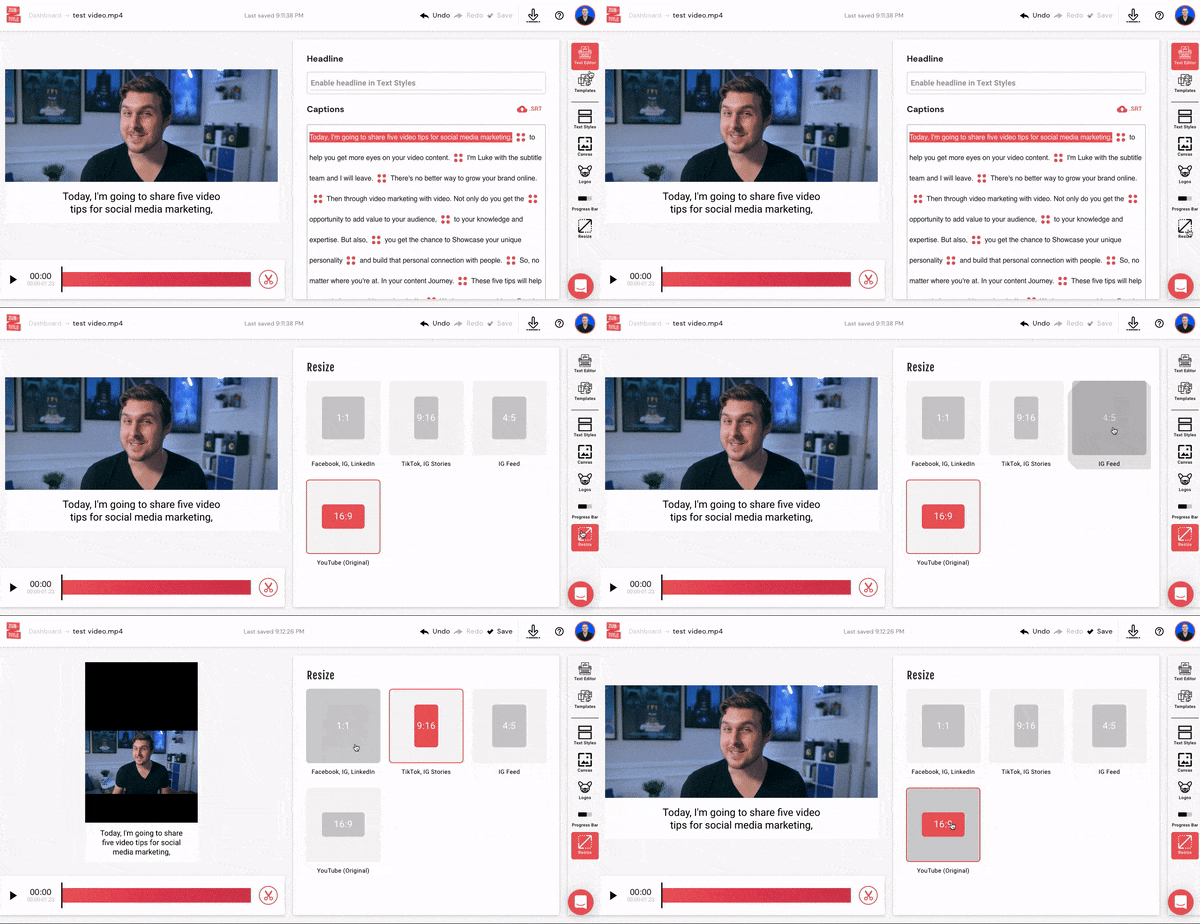
Inside the Resize panel, you’ll see options for all the standard social dimensions. For YouTube Shorts, select 9:16 (Vertical). This instantly adjusts your canvas so your video fills up the entire vertical screen on mobile devices without any awkward black bars.
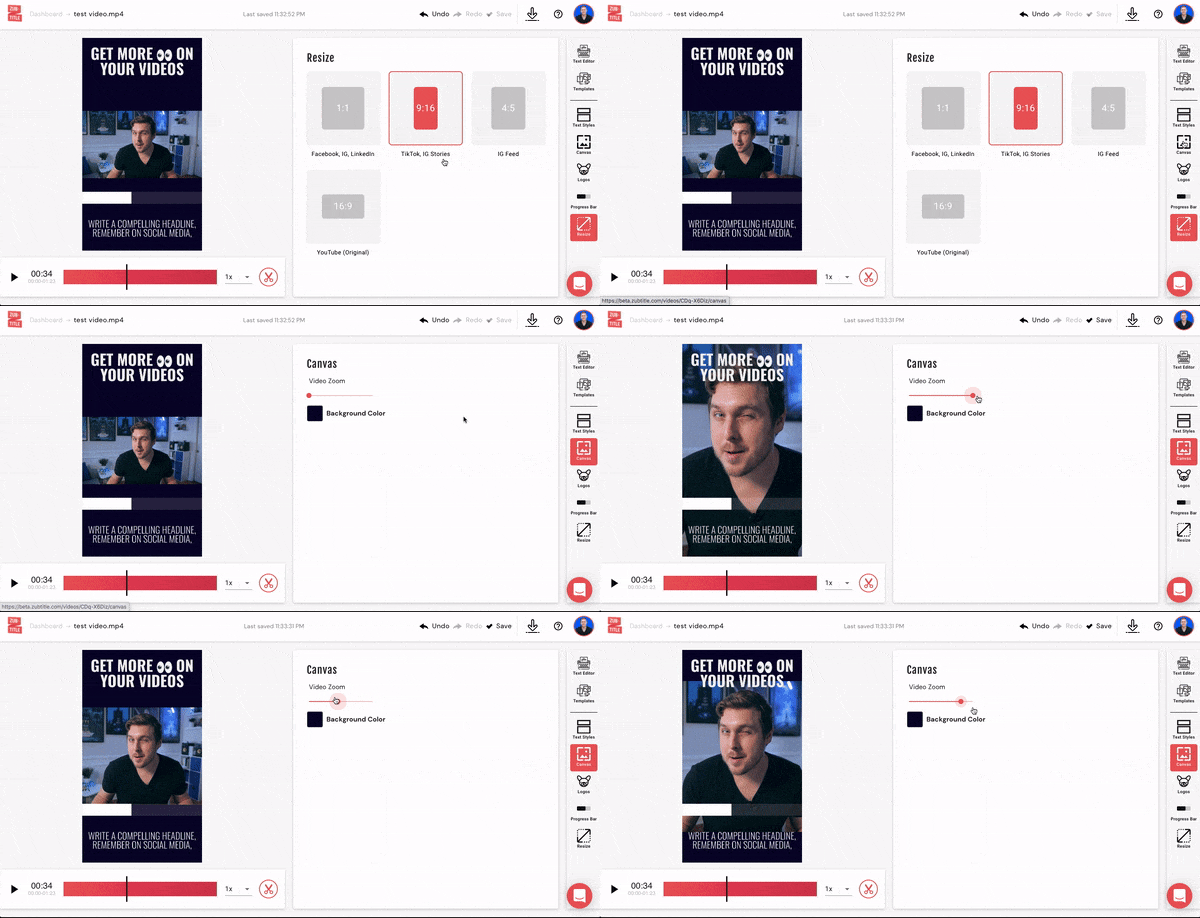
If your subject is slightly off-center or you want to zoom in a bit closer, head to the Canvas tab in the right-hand menu. Use the zoom and position sliders to adjust your framing until everything looks just right.
While you're there, take a quick second to style your automated captions, add a progress bar, or drop a bold headline at the top of your frame so scrollers know what your video is about right away.
Once you’re happy with the look, just hit the Download button to render your brand-new YouTube Short.
Before you head over to YouTube to post your new Short, don’t forget that Zubtitle can help you cross the finish line with your copywriting, too.
You can use our built-in AI tools to automatically generate a catchy video title, a keyword-rich YouTube description, and relevant hashtags based directly on your video's audio script. It cuts out the guesswork so you can publish your content in record time.
Sign up for a free Zubtitle account today to get started! Our free Bootstrapper plan allows you to create two videos per month. For the ability to create up to 10 videos per month (and remove the Zubtitle watermark), be sure to check out our Guru plan.


.png)

See why creators love using Zubtitle – start editing your videos risk free with two video credits on us!
